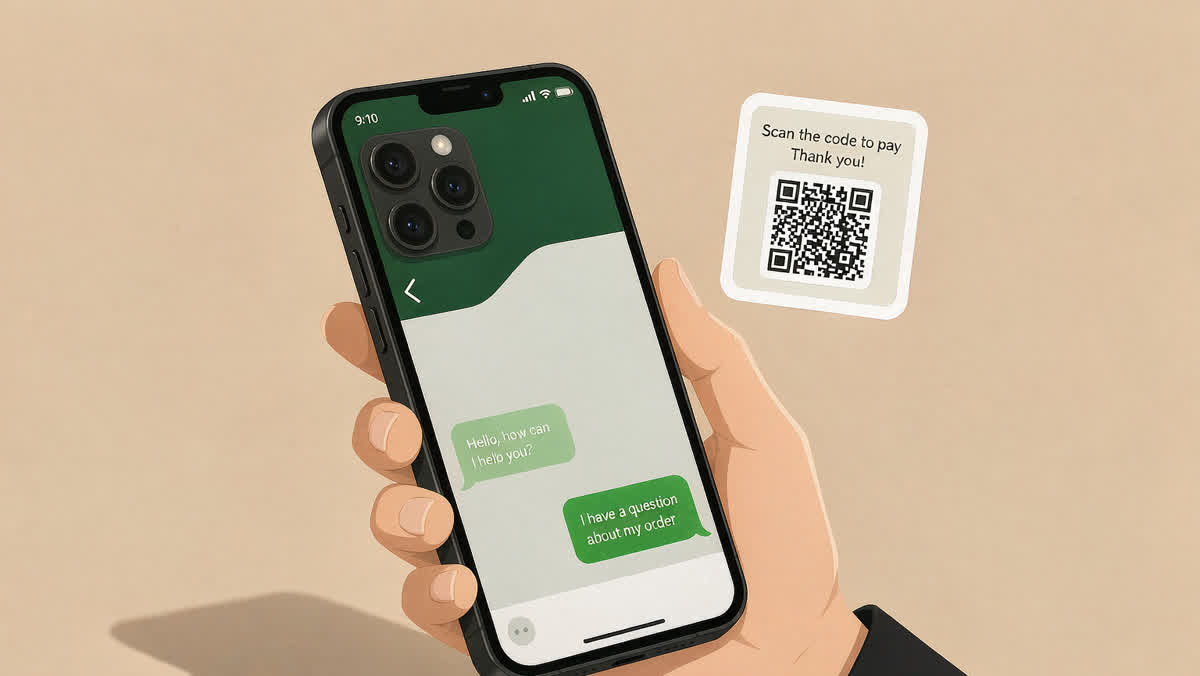
WeChat is the one app in China that will not behave like every other app you have ever used. It is not a messenger with added features — it is a messenger that grew up to swallow the country's payments, its government services, its ride hailing, its restaurants and, in many cases, the paperwork your old government office used to require. If you have never used it, your first three days in China will be a long series of "but the shopkeeper keeps holding a QR code at me" moments. This guide is what I wish I had read before boarding.
On this page:Setting up with a foreign phone number · WeChat Pay and the ¥5,000 limit · The 11 mini programs I actually use · Mini programs worth skipping · Common mistakes · Next steps
Setting up with a foreign phone number
The single biggest assumption to unlearn is this: you do not need a Chinese phone number to make WeChat work. The app accepts any mobile number, so a roaming SIM from your home carrier is fine, and a China Mobile or China Unicom SIM bought at the airport works even better. In practice you will spend about 20 minutes on your first night doing all of it, split into three parts.
First, register. Open the app, choose Register, and enter your number. You will get an SMS code in about 30 seconds to China Mobile numbers and sometimes two or three minutes if the carrier is busy. WeChat now allows registration with a passport in place of a Chinese ID — the option lives under I am not a mainland resident. Skip this if you do not have a passport with you; you can link identity later.
Second, set up an avatar and a nickname. This is not vanity. In China, half of what will go through WeChat is a QR code scan — shopkeepers, hotel front desks, delivery drivers — and most of them will match the person to your photo within two seconds. A placeholder photo with a foreign handle like "alex_from_berlin" will slow that handshake down.
Third, and only when you need it, do the WeChat ID step. The WeChat ID is your stable username, distinct from your phone number. If your number changes later, friends who added you by number can still find you by ID. Change it only once a year — this is a real limitation and worth knowing before you mess with it.
WeChat Pay and the ¥5,000 limit
Here is the piece that confuses most first-time users: WeChat Pay still cannot accept a foreign credit card directly, even after every headline from the last few years. It accepts Apple Pay on iPhone and Google Pay on some Android phones through the card-on-file trick, but for a real balance you either link a Chinese bank card or top up a small amount through a third-party service that requires a passport.
The practical version: WeChat Pay on a foreign card tops out around ¥5,000 a day, and ¥200,000 a year per card. That is more than enough for street food, ride hailing and convenience stores, and it is exactly the wrong ceiling for a hotel deposit or a ¥12,000 flight. So budget accordingly — a day on the road in a Chinese city is realistically ¥180–280 between taxi, food and small purchases, and the ¥5,000 daily ceiling gives you 18–28 days of that before you hit it.
I linked a China Construction Bank card on my second trip and the day-to-day friction disappeared. If you are staying longer than a week, that decision pays for itself in a single evening of not trying to explain why your card will not load a taxi fare.
The 11 mini programs I actually use
A mini program is an app inside WeChat — no download, no uninstall, no update prompt. Once you understand the metaphor, the second week of your trip gets dramatically easier. Search the name in WeChat's top bar and open it; you do not need to keep it pinned. Here is the list I actually use, roughly in the order I opened them in my first month.
- DiDi Chuxing (滴滴出行) — ride hailing. Enter an address in English and it finds the location. A cross-city ride in Chengdu from the train station to the hotel was ¥14.60 in a compact sedan; there is no way that fare exists in any other country I have visited.
- Ele.me (饿了么) and Meituan Waimai (美团外卖) — food delivery. Both work the same; whichever is cheaper on a given order wins. Minimum orders in a mid-sized city are typically ¥15–25, plus a delivery fee of ¥3–6.
- 12306 official — high-speed rail ticketing. You can buy and print with just a passport and a screenshot; a passport photo of the correct size (35 × 40 mm) is required once.
- Diandong Lianmeng (电联) — electricity usage, so you can pay a landlady's meter reading yourself rather than waiting for her.
- Yiyuan Yuyue (医院预约) or the individual hospital's own mini program — booking a doctor slot without walking into a crowded queue.
- Taobao and Tmall mini programs — for ordering from the desktop experience without leaving WeChat.
- Hilton, Marriott or the equivalent — most major hotel chains run an official mini program with the same rewards as their app.
By the end of the first month I had eleven pinned to my chat list. That is genuinely all I had uninstalled from my phone to make room — I did not install a separate food app, a separate taxi app, or a separate rail app.
Mini programs worth skipping
For balance: not every mini program earns a spot. The government services bundle — Social Insurance, Family Planning, Traffic Points — are only useful if you are a resident; a visitor who never gets a hukou will not touch them. Third-party "top up my WeChat Pay balance" mini programs that require a passport, a Chinese ID and a bank statement are almost always scams and are the single fastest way to lose money on day one. And the mini programs that claim to book Chinese concert tickets before on-sale opens are, in my experience, always scalpers. Stick to programs whose name ends with an official-sounding suffix and that have a verified company logo.
Three mistakes I made so you do not
- Deleting the first friend. In my first hour I added the wrong person (a shopkeeper from a souvenir stall) and deleted them without reading the chat. Turns out it was a hotel front-desk person my friend had forwarded me. In China, deleting is not reversible; keep the contact if there is any chance it is a real human with a follow-up.
- Trusting the auto-translator. WeChat translates messages well enough to keep up with basic conversation, but it flattens tone. A WeChat message that says "好的" can mean "OK" or "OK I guess" or "OK don't ask again." Ask for a follow-up when in doubt.
- Leaving the QR code up too long. When paying, the QR code you hold at a shopkeeper expires after about 60 seconds. If your camera is on another screen, or your phone is in a case, you can easily miss that window and spend 20 seconds explaining to a cashier that you meant to pay but your code "wasn't ready yet."
Next steps
If this is your first trip, do the setup the night before landing. If you are already on the ground, do it before your first ride hailing — the DiDi login will be the first moment you are actually stuck. Once you have WeChat Pay working and DiDi in your top bar, the friction of being in China drops from "constant" to "occasional," and you stop noticing the infrastructure and start using it.
By the end of a week in China, the phone you came with has become a WeChat terminal with a camera bolted on. That is not a bug. That is the design.
Frequently asked questions
Do I need a Chinese phone number for WeChat?
No. The app accepts any mobile number, including your home number, and that is the single biggest assumption to unlearn when setting it up with a foreign number.
Can I add a foreign credit card to WeChat Pay?
WeChat Pay still cannot accept a foreign credit card directly, even after the headlines, and there is a 5,000-yuan limit on the setup, so plan around that.
Are mini programs worth using?
A mini program is an app inside WeChat with no download, and I actually use 11 of them; some government-service bundles are worth skipping unless you need them.